17 Essential Travel Apps for Seamless Adventures in 2026
Discover the 17 essential travel apps that simplify every journey. These apps make traveling more convenient and enjoyable.
My first overseas trip was in 2002 when I studied in England. Back then, smartphones were nonexistent, and texting was a novelty. While I sometimes miss the charm of paper maps and film cameras, modern technology undeniably enhances travel.
After a recent seven-month journey across three continents, these apps proved indispensable. They range from currency converters to tools for capturing amazing photos and planning unique experiences. Most offer free versions, so be sure to download them before your next adventure!
In This Article
These apps are divided into the following categories:
Expense Management & Currency Apps
Health, Safety & Logistics Apps
Photography & Entertainment Apps
Discount Travel Booking Apps
Klook (Free)
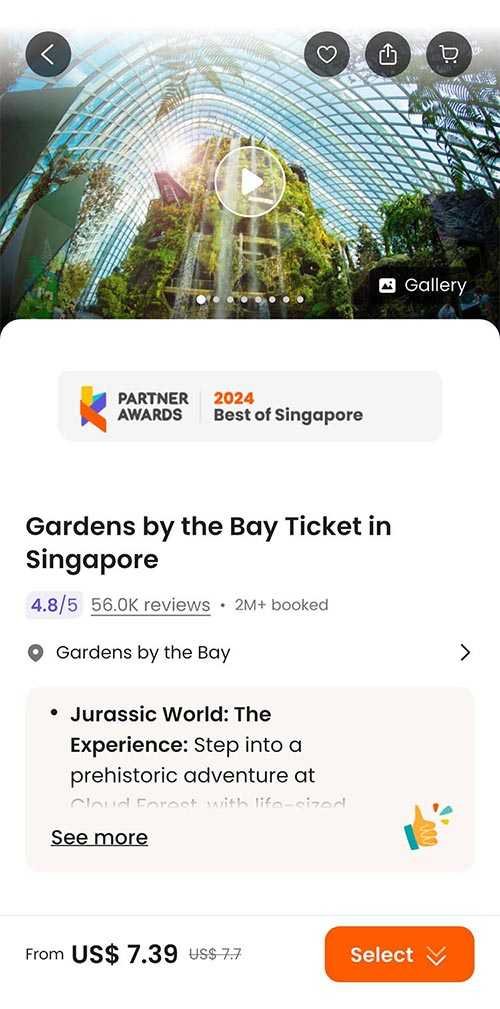 lets me bypass ticket lines!
I utilize Klook to purchase discounted tickets and transport worldwide. It saved me about $10 for Gardens by the Bay in Singapore and $13 on the cable car in Hong Kong. I also arranged private transfers in Vietnam.
The standout feature is the tiered Klook Rewards program, allowing users to earn KlookCash for future discounts. You can also gain additional points by leaving reviews. The free loyalty program includes exclusive rates and perks, making it a favorite of mine for saving money without long waits. Book via the app or directly on the website.
Booking.com (Free)
Booking.com (Free)
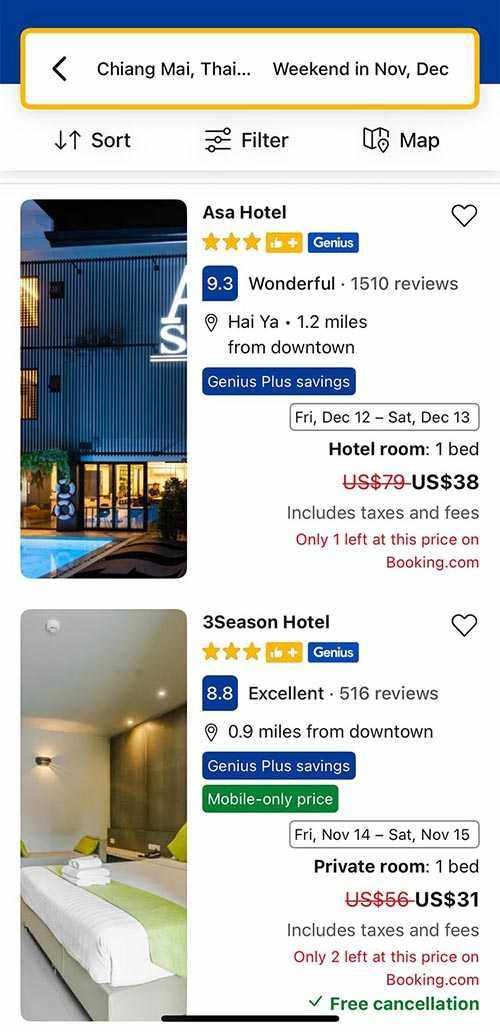 offers cheaper mobile rates in the app.
More often than not, Booking.com has the lowest accommodation rates, especially via their mobile app where prices can be 15-30% lower than on the website. (I've explored why mobile rates are cheaper.)
Now that I've achieved tier three in their Genius loyalty program, I receive even more discounts. It's always wise to quickly compare prices on Booking.com's app against other platforms when booking accommodations, cars, or flights.
Finance Apps
Tricount (Free)
Tricount (Free)
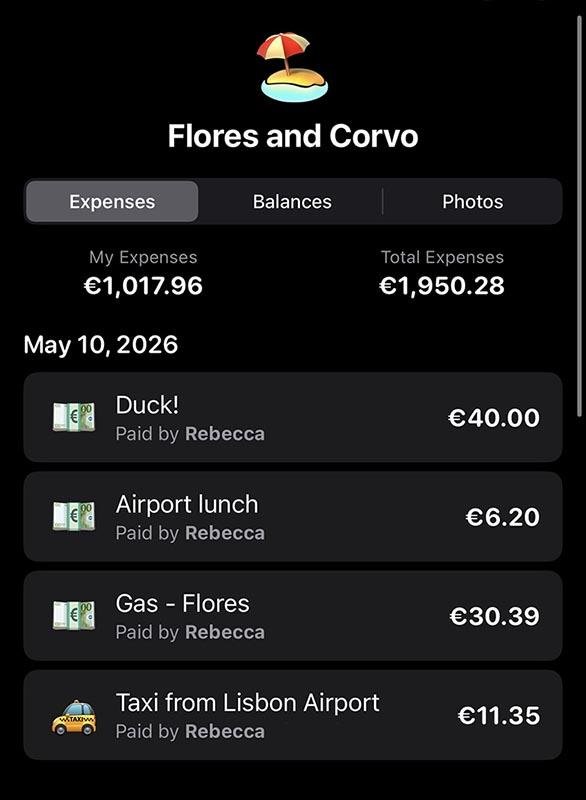 I used Tricount to manage expenses during a nine-day trip to the Azores.
Tricount is a free app for splitting expenses. I tried it on a week-long Azores trip with a friend, and it was seamless. Its user-friendly interface allows for uneven splits and receipt photo uploads. A built-in calculator and currency converter handle all calculations.
You can start using it right away without an account (though syncing across devices requires one). It's ad-free and has replaced Splitwise for me.
Dollarbird (Paid)
Dollarbird (Paid)
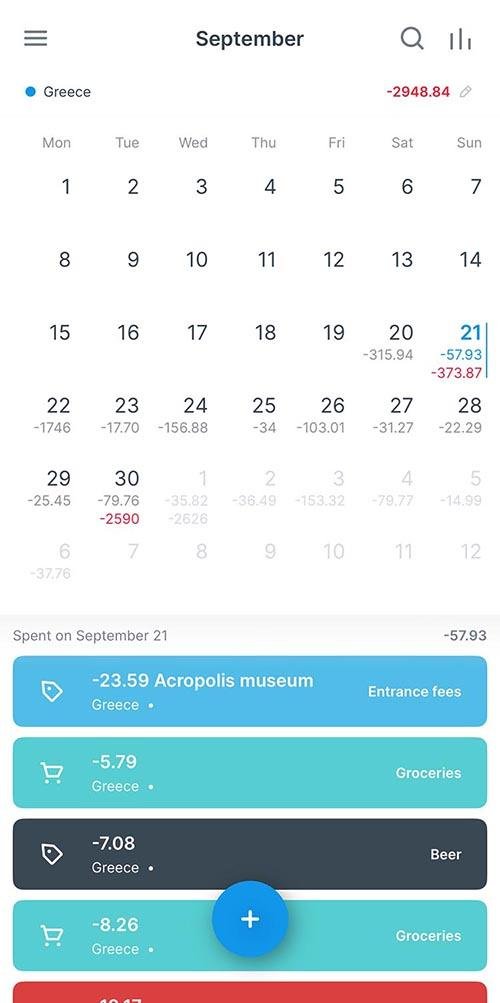 I've relied on Dollarbird for tracking my travel expenses for years, currently using it on my two-month Africa trip.
Dollarbird helps monitor spending while traveling—it's $4.99/month or $39.99/year and can also be used for regular budgeting. You can create custom categories and manually input expenses, and it provides a balance summary with an option to export data to a spreadsheet.
XE Currency Converter (Free)
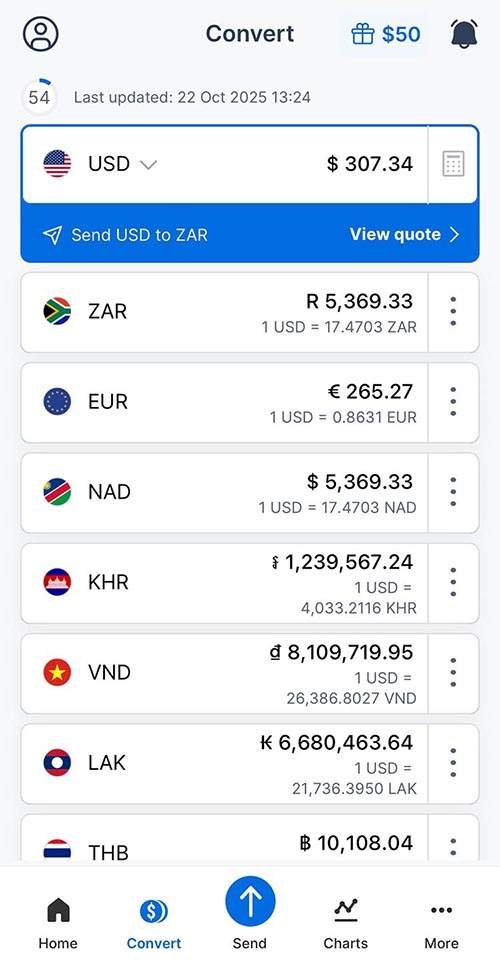 XE Currency Converterfunctions offline with the latest rate.
XE is my go-to currency app, allowing you to track up to 10 currencies easily. It even works offline, using the last updated rate, which I check frequently to avoid overspending.
TIP: If given the option to pay in multiple currencies, compare rates. It's usually cheaper to pay in the local currency than in USD, as discussed in my travel banking article.
iPhone Calculator App Currency and Unit Conversion (Free)
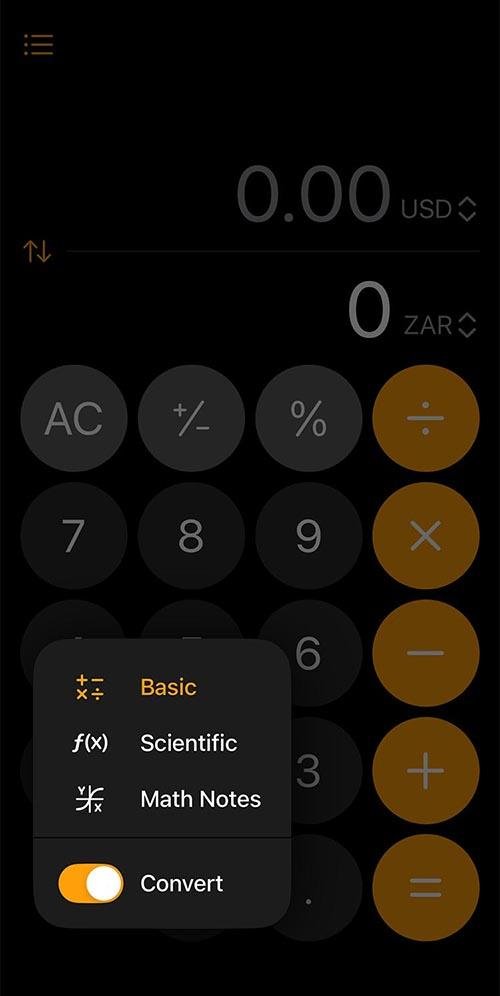 iPhone's calculator features currency and unit conversion.
With the introduction of iOS 18, the calculator now includes a conversion function for various categories like currency and unit conversion (speed, time, weight). Access this feature by clicking the calculator symbol next to the 0 button and selecting Convert.
Genius Scan (Free)
Genius Scan (Free)
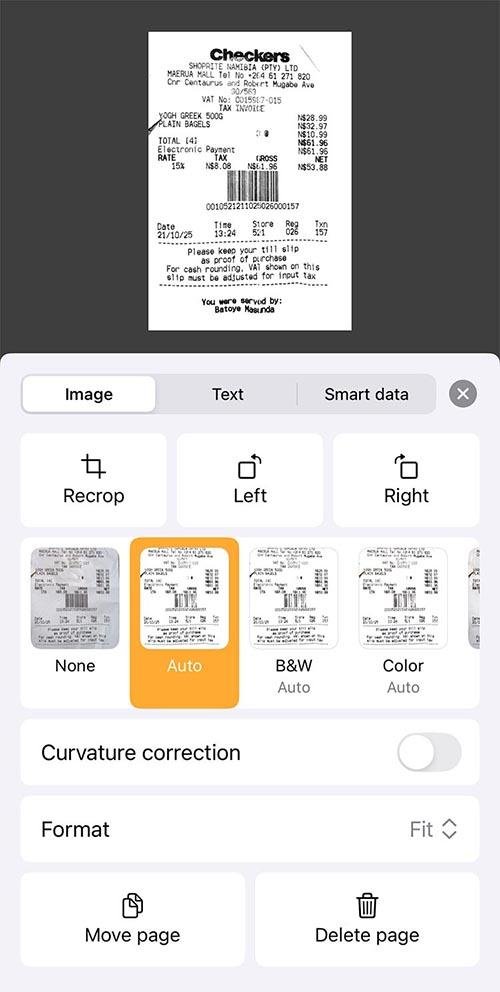 Genius Scan organizes my receipts for taxes and work travel, exporting files to my Mac as a backup.
This PDF-scanning app lets you photograph anything—receipts, maps, and brochures—to create PDF files. It's perfect for
business travel expense tracking. You can capture images directly through the app or import them from your gallery. I also use it to photograph brochures to reduce paper waste. PDFs can be emailed, sent via AirDrop, or shared through messaging apps.
1Password (Paid)
1Password (Paid)
 1Password securely handles passwords, banking info, and loyalty programs, allowing easy copying for online shopping.
1Password is my favorite app ever, even outside of travel. It stores all passwords securely and is easily searchable. I keep everything in it—bank details, frequent flyer accounts, and email passwords. It syncs effortlessly across devices and is highly secure. You open the app with a single password (TIP: choose one not used elsewhere).
Though not free, it's affordable at $2.99/month or $4.99 for a family plan. There's a free 14-day trial available. While Apple's free Passwords app exists, I find 1Password superior in organization and interface.
Communication Apps
Airalo (Free)
Airalo
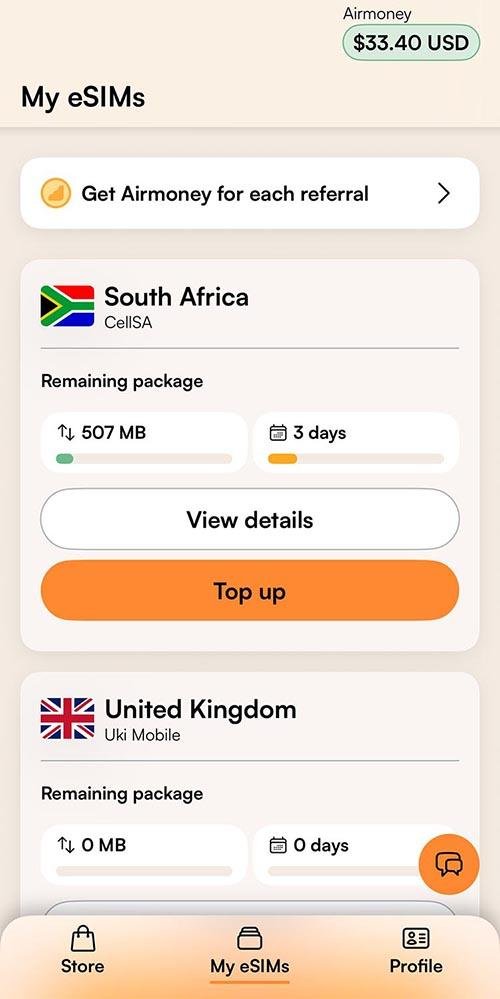
Airalo eSIMs keep you connected affordably while traveling.
eSIM cards provide a cost-effective way to stay connected abroad. The Airalo app simplifies purchasing, installing, and monitoring your balance while traveling in over 200 countries and regions. Airalo is the first eSIM store globally and often has excellent partner networks.
Use promo code NEWTOAIRALO15 for 15% off your first purchase. Existing users can save 10% with AIRALOESIM10.
Google Voice (Free)
 Google Voice allows free calls to U.S. numbers while abroad.
As a frequent traveler, two-step verification can be cumbersome. Google Voice has made this simpler; I now use it as my verification number. If codes don't come through on the app, simply log in on a computer. This service gives you a
second number for calls, texts, and voicemail. You'll need a Google account and an existing phone number to set it up. U.S. and Canadian users can select their numbers. Google Voice is also available in
Calling U.S. numbers for free makes it easy to reach family or airline customer service. (Google Voice has replaced the now-defunct Skype.)
Google Translate (Free)
Google Translate (Free)
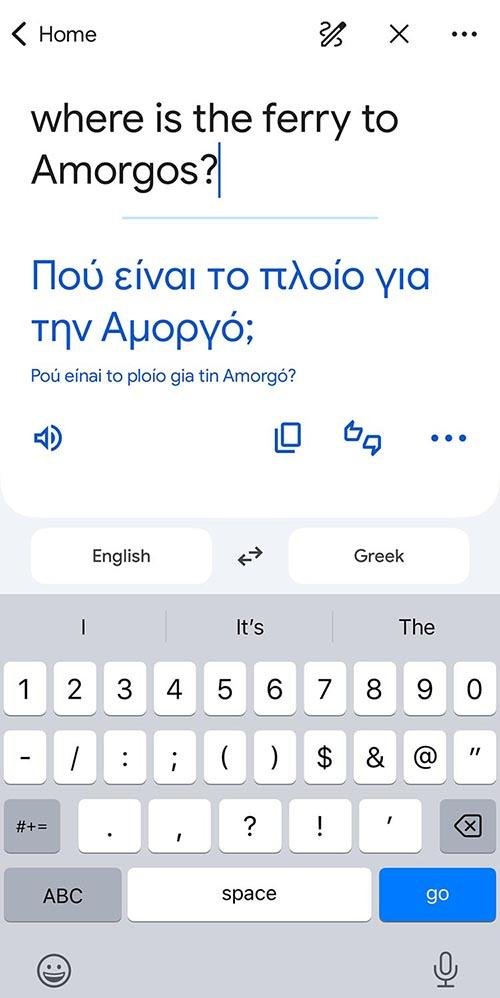
Google Translate is a lifesaver. Whether I need to communicate with a taxi driver or anyone else, I type a phrase and show it. It also saves phrases for later use. The camera feature lets you translate labels, which is especially useful when looking for products in Asia.
WhatsApp (Free)
WhatsApp (Free)
If you're not already using WhatsApp, download this text and voice messaging app NOW. Owned by Meta, it functions across all platforms and is essential for personal and business communication abroad. It's commonly used for everything from restaurant bookings to taxi arrangements. A phone number is required for registration.
Postagram (Free; $1.60-$2/postcard)
Postagram
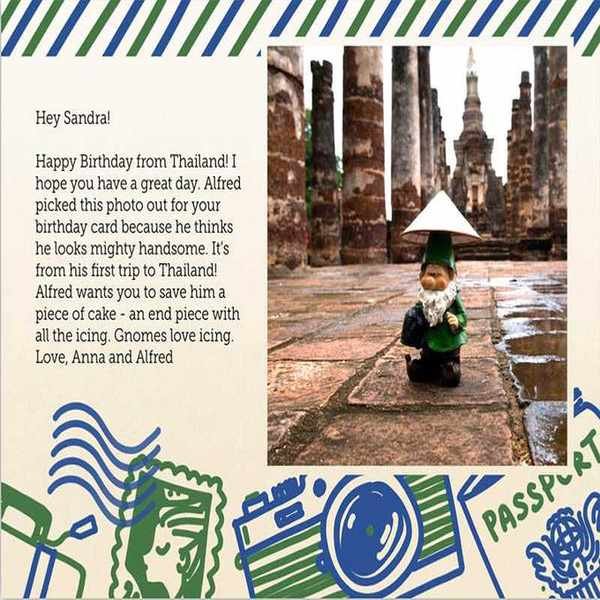 This postcard features a photo of my globetrotting gnome, Alfred. I love how the Postagram app lets me customize everything, including delivery dates!
Let's face it—everyone loves receiving mail! I've spent countless hours writing postcards and waiting in long post office lines. Recently in Greece, I waited 30 minutes just to buy stamps!
For years, I've used the Postagram app to send printed postcards with my photos. It allows background customization and the option to schedule delivery dates to ensure I never miss a birthday or holiday.
While I still send traditional postcards when possible, Postagram is a great alternative. U.S. cards start at $2, while international ones cost $3 each, with discounts available for bulk purchases. The print quality is excellent. (Once, when a postcard didn't arrive, they resent it at no cost.)
Health, Safety & Logistics Apps
Maps.me (Free)
Maps.me (Free)
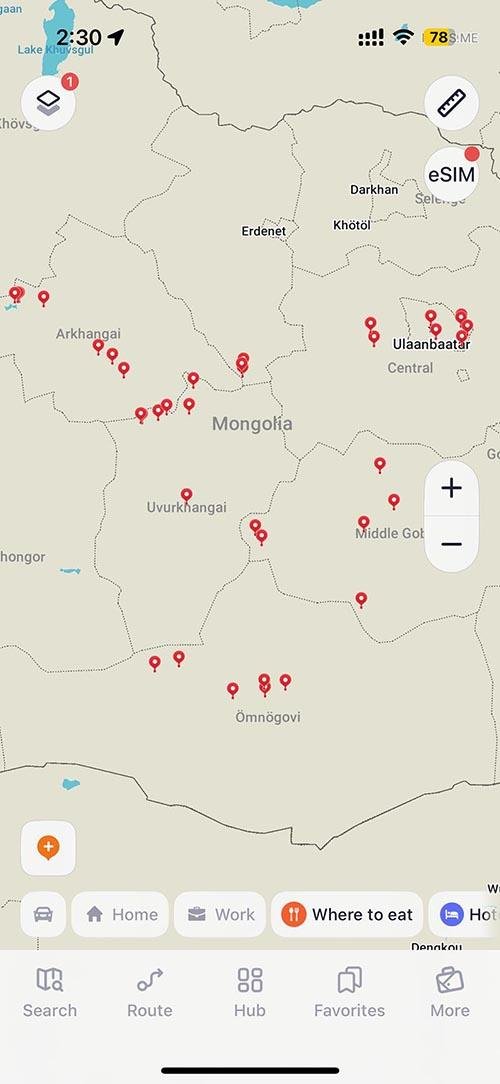 I used Maps.me during my trip to Mongolia. It's a fantastic offline map app.
The offline GPS app Maps.me is essential for hikers or anyone traveling through areas with limited phone service. Download maps for your destination, and navigate turn-by-turn seamlessly without service. You can create routes that many hikers share online. Before venturing into remote areas, review the user guide. While the app was once completely free, in-app purchases and travel booking features have been added. The free version allows 10 downloaded maps simultaneously.
I loved using this for my Mongolia trip, which involved a lot of off-road travel. I also used it during my Namibia road trip.
SafetyWing Travel Medical Insurance
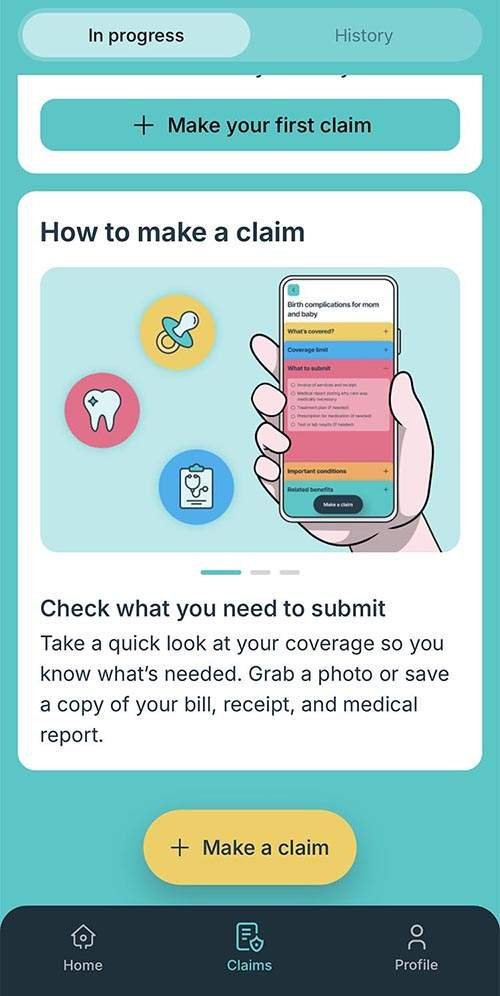 SafetyWing offers affordable travel medical insurance for over 180 countries.
SafetyWing is my preferred choice for flexible travel medical insurance. They have two plans: Essential and Complete.
The new claims process can now be completed in just five minutes through the app. For further details, check out my
NordVPN (Paid)
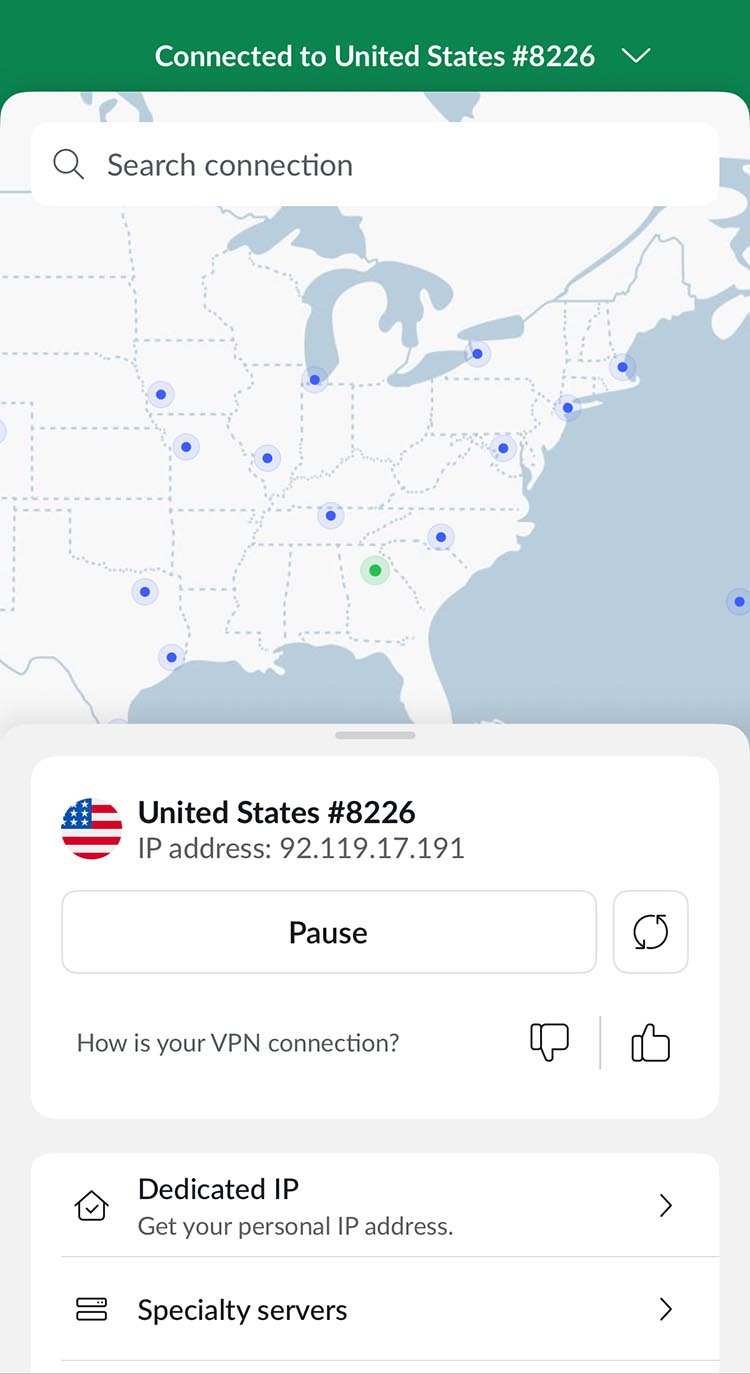 NordVPN ensures secure browsing from anywhere in the world.
I began using NordVPN about four years ago to safeguard my data and identity online while traveling. It enhances online safety when browsing, checking banking info, or using streaming services that might be region-restricted. I usually opt for a two-year subscription that works on both my Mac and iPhone.
AirVisual (Free)
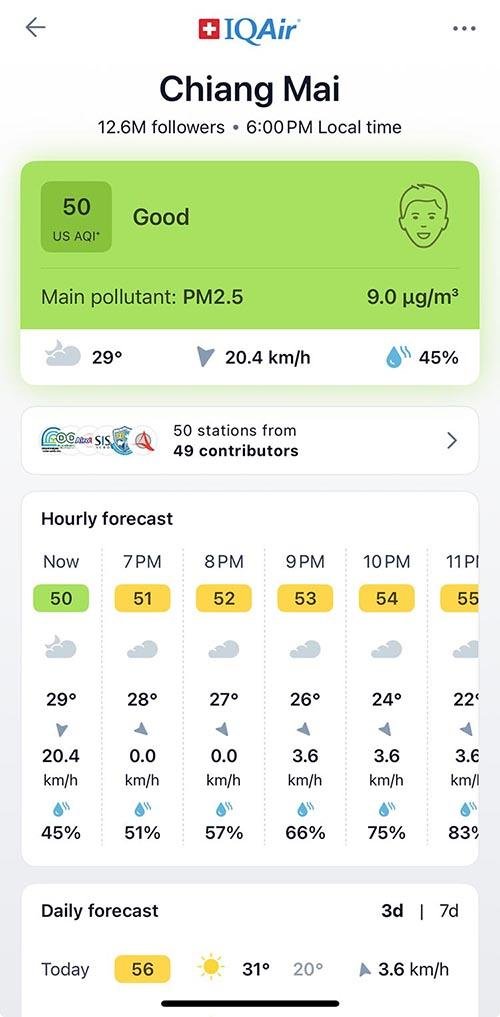 AirVisual helps track air quality during your travels.
If you're visiting Asia, I recommend the free AirVisual app to monitor air quality. It uses data from government sources to provide the
current air quality. This is especially helpful in regions with pollution (like India) or during burning seasons in places like Chiang Mai, where masks may be necessary. It works globally.
Photography & Entertainment Apps
TPE Photo Ephemeris (one-time fee of $9.99)
TPE Photo Ephemeris
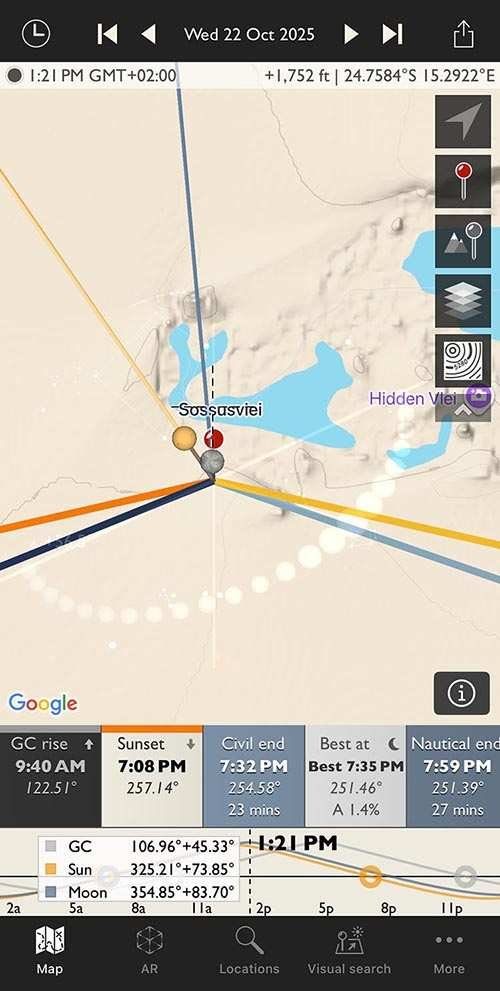 TPE is my essential app for planning outdoor shoots based on sunlight.
This photography app is revolutionary for photographers, allowing them to schedule outdoor shoots in natural light. TPE displays sunlight angles for any location globally, day or night. The AR feature lets you visualize potential shoots directly through your camera app. The app has a one-time fee of $9.99, with some additional in-app purchases.
Hoopla (Free)
Hoopla (Free)
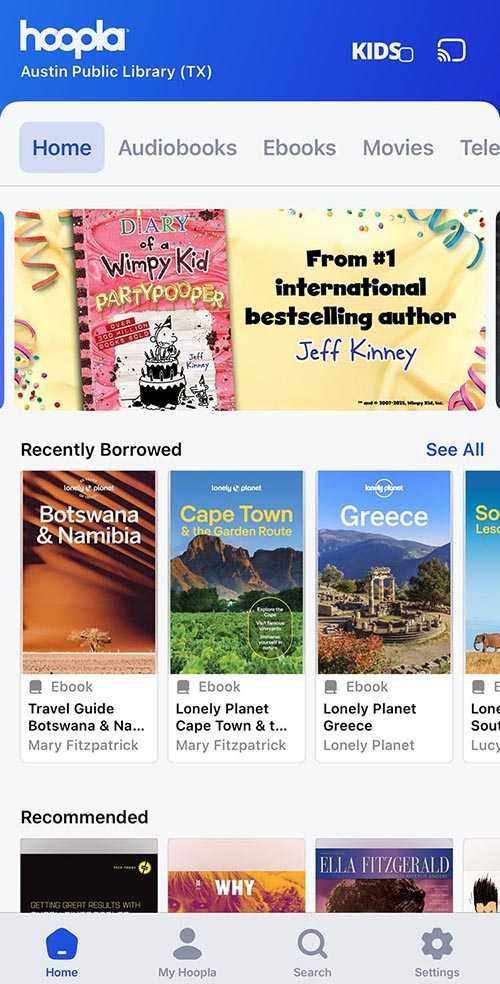 I read significantly more thanks to the Hoopla app and my public library membership.
Hoopla is an online platform that lets you read eBooks and listen to audiobooks for free with your public library membership in North America. It also works on web browsers. I frequently use it for travel guides and audiobooks. Depending on the library, there is a monthly limit to the number of books you can check out. I get four each month from my Austin library. This is also fantastic for use when not traveling.